Log in


AI summary
Subject: This article evaluates Google Cloud Platform (GCP) relative to alternative infrastructure providers, outlining when GCP remains appropriate and when other clouds, bare metal, or private cloud options are more suitable for enterprise workloads.
When GCP is appropriate: GCP is preferable when an organization depends on its integrated managed services and platform-specific features—analytics, managed Kubernetes, and managed ML/AI tooling—because those services encapsulate operational complexity and are costly to replicate elsewhere.
When to look elsewhere: Organizations should consider alternatives when egress and inter-region transfer costs, service lock-in, or the need for low-level hardware and network control make GCP uneconomical or operationally restrictive for their workload.
How to evaluate alternatives: Compare providers by matching their infrastructure models to your workload characteristics, calculating total cost of ownership including bandwidth and migration effort, confirming compliance and data-residency guarantees, and scoping the operational complexity of migration.
Alternative options: Viable options include smaller public clouds and bare-metal or private-cloud providers. Examples span developer-focused clouds with predictable pricing, European providers with strong data-sovereignty postures, bare-metal vendors optimized for high-throughput and GPU workloads, and managed service firms that operate hyperscale infrastructure on behalf of customers.
Workload guidance: Choose based on workload class: bandwidth- and media-heavy platforms favor private or bare-metal architectures with favorable peering; regulated or latency-sensitive applications often combine dedicated infrastructure with hyperscale analytics; AI workloads require evaluation of available accelerators and cost per GPU; Kubernetes-centric teams should prioritize managed Kubernetes equivalence to avoid large migration burdens; startups typically prioritize simplicity and predictable pricing.
Hybrid strategy: A mixed approach often minimizes risk: retain GCP for services that deliver unique value, and migrate compute- and bandwidth-dominated workloads to providers whose economics and hardware control better match requirements, moving incrementally to reduce disruption.
Bottom line: Select infrastructure based on concrete service dependencies, full-cost comparisons, compliance needs, and workload fit. For teams prioritizing predictable bandwidth, hardware-level control, or strict data residency, private cloud or bare-metal providers are often more cost-effective than remaining wholly on GCP.
Market trends indicate that hyperscalers such as GCP are no longer the default infrastructure choice for enterprise teams. Despite providing extensive network depth and coverage, these platforms are often uneconomical for certain workloads. A Barclays survey found that 83% of CIOs planned to move at least some workloads off public cloud.
This article explains when GCP makes sense, when it does not, and which alternatives offer better cost, control, or performance for your specific workload.
Why do companies look for GCP alternatives?
Companies look for GCP alternatives when the platform’s pricing no longer matches their workload. GCP is built for compute and managed services. It is not optimised for workloads where raw throughput and predictable cost are the main requirements. As usage scales, unexpected costs start appearing in three areas:
- Data transfer: Every time data moves between GCP regions, it costs money. Moving data out to the internet costs even more. For platforms serving large media volumes, streaming telemetry across regions, or running analytics pipelines that pull from external sources, egress charges become a significant cost driver.
- Service lock-in: Building on GCP’s managed services (such as BigQuery, GKE, Vertex AI, Firebase, Pub/Sub) means following the platform’s architectural rules. Migrating away later is expensive and disruptive. That cost is often what keeps teams on GCP long after it stops being the right fit.
- Infrastructure control: GCP manages a lot of the infrastructure for you, which is useful until it isn’t. Teams that need to tune kernel parameters, configure NICs, optimise NUMA topology, or target specific hardware generations will find that the managed layer gets in the way.
Therefore, companies looking for alternatives are usually the ones whose workloads have outgrown what managed abstraction can deliver at the price they’re willing to pay.
When is GCP still the right choice?
GCP is the right choice for workloads built around its proprietary managed services. If any of the following apply to your team, switching providers will likely cost more than it saves:
- You rely on BigQuery, Looker, Dataflow, or Pub/Sub. These services are tightly integrated by design. BigQuery’s columnar storage and serverless query model removes a whole class of infrastructure problems. Dataflow’s Apache Beam runtime handles batch and streaming workloads with managed autoscaling. Rebuilding this stack elsewhere is a full rewrite, and it will cost time, money, and SLA stability.
- Your team is deeply invested in GKE. GKE has the tightest integration with GCP’s IAM, networking, and monitoring stack of any Kubernetes offering. EKS and AKS are capable alternatives, but they are not drop-in replacements. The operational model is different, and the migration effort is often greater than it looks.
- You use Vertex AI, Gemini tooling, or TPUs. TPUs are only available on GCP. If your training workloads depend on TPU pods, you cannot simply move to another provider because you would need to rebuild your training stack around a different accelerator type.
The short answer: if GCP’s proprietary services are central to your architecture, the switching cost is likely to exceed the operational savings unless your workload has scaled beyond what’s compatible with GCP.
Cloud flexibility without hyperscaler complexity – explore our public cloud
How should you compare GCP alternatives?
Comparing GCP alternatives requires a careful evaluation of your workload fit, calculation of the TCO, examination of the provider’s compliance requirements, and adequate scoping of the complexity of migration to the alternative platform.
- Start with your workload fit. Not every provider is architected for every workload class. A provider that excels at VPS hosting for developer tooling is not the same as one that can handle 40 Gbps of sustained throughput for a media platform. Match the provider’s infrastructure model to your actual workload characteristics: IOPS requirements, bandwidth envelope, latency sensitivity, failure tolerance, and geographic distribution.
- Evaluate the total cost of ownership (TCO). The TCO must account for more than compute. Add bandwidth costs at the volumes you actually move. Add managed service equivalence costs, including operator costs. Add migration engineering time. Add support contract costs if you need SLA-backed response times. Providers that look cheapest at the compute layer frequently close the gap once the full cost picture is assembled.
- Examine the provider’s data residency and compliance requirements. Compliance requirements narrow your options quickly. European teams operating under GDPR need providers with the right data residency guarantees, audit controls, and contractual commitments. Sort out compliance before comparing performance or pricing.
- Scope the complexity of migration. The easiest migrations move stateless compute first. The hardest involve migrating managed databases, rebuilding service meshes, and setting up monitoring from scratch in a new environment. Scope this carefully before committing.
What are the top 7 GCP alternatives to consider?
The best GCP alternative is the one whose infrastructure model fits your workload. Here are seven providers worth evaluating, assessed on architecture and pricing.
1. DigitalOcean
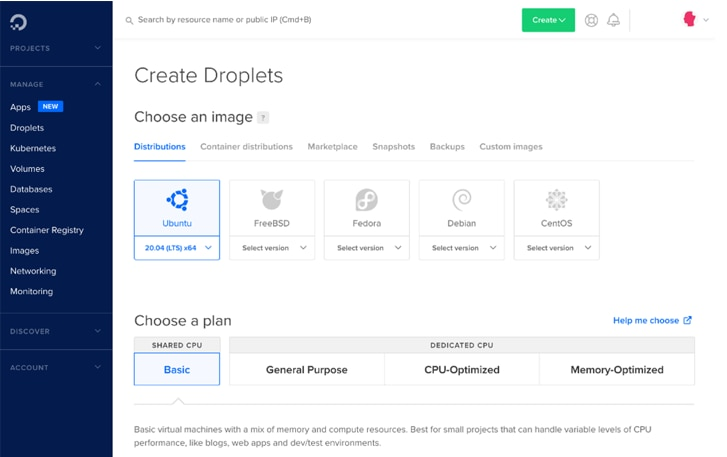
DigitalOcean’s product surface is smaller than GCP by design — Droplets, Managed Kubernetes, managed databases, object storage, and a small set of supporting services. The management interface and API are straightforward, the documentation is consistently good, and the pricing is predictable.
DigitalOcean is best for startups, development teams, agencies, and smaller SaaS products that don’t need the full GCP service catalog and find the operational overhead of larger providers disproportionate to their scale.
DigitalOcean is not the right fit for high-throughput production workloads, complex multi-region architectures, or teams with enterprise compliance requirements.
2. OVHcloud
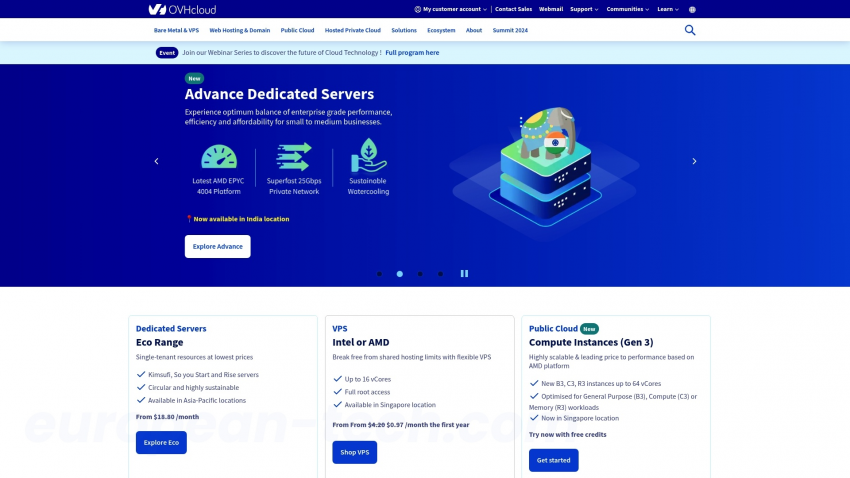
OVHcloud runs one of the largest independent server fleets in Europe. Its infrastructure is built around the European data sovereignty requirements that GCP satisfies less cleanly. The dedicated server range is broad, the network is well-peered across Europe, and the compliance posture covers GDPR and related frameworks.
The product surface includes public cloud, dedicated servers, managed Kubernetes, and a CDN offering. That makes it one of the more complete GCP alternatives for European teams that need infrastructure sovereignty.
3. Advanced Hosting
Advanced Hosting is an OpenStack-based private cloud backed by dedicated server hardware. It is combined with high-bandwidth IP transit, designed for platforms that move significant data volumes continuously.
Advanced Hosting’s differentiation is in the network layer. Its main bundle solutions are a great fit for video streaming workloads, iGaming projects’ challenges, and crawled big data processing. They offer premium CPU generations (like AMD EPYC 9454P) for consistent baseline performance, custom NIC configurations for packet processing, NVMe-direct storage paths for latency-sensitive databases, or workstation GPUs (like NVIDIA RTX PRO 6000 Blackwell Series) for AI tasks and video transcoding.
The trade-off is operational responsibility. Private cloud and bare metal require your team to manage what GCP handles invisibly: OS patching, storage provisioning, network configuration, and capacity planning.
4. Vultr
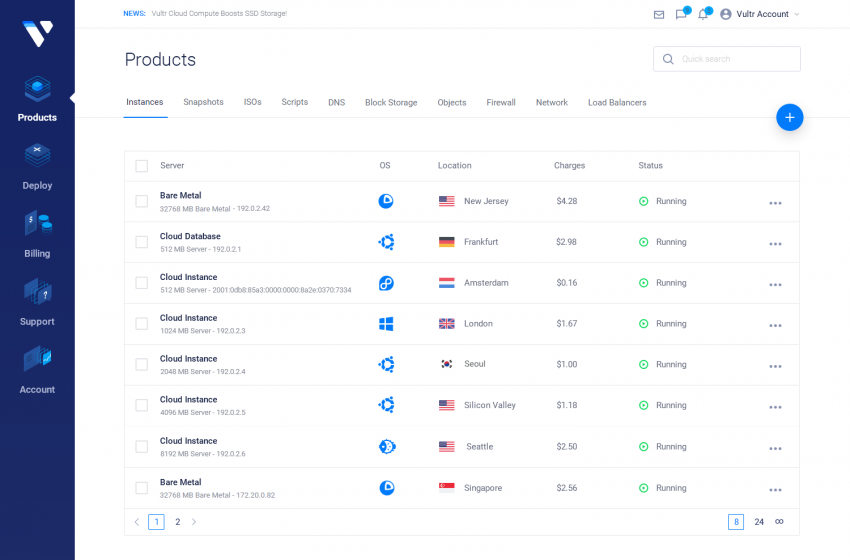
Vultr offers VPS and bare metal infrastructure across a wide range of locations, with developer-controlled provisioning. The network handles general-purpose workloads well, but is not built for high sustained throughput in the way GCP is.
Vultr works best for compute-centric workloads with broad geographic distribution requirements and a tight budget. It is not as easy to use as DigitalOcean, and it does not have Advanced Hosting’s network depth, but the per-core pricing is competitive, and the provisioning is fast.
5. Hetzner
Hetzner offers some of the most competitive server pricing in Europe relative to the hardware delivered. It is a strong fit for European teams where cost is the main constraint and the workloads do not require a broad geographic reach.
The trade-off is geography. Data centers are concentrated in Germany and Finland.
6. Scaleway
Scaleway is a European cloud provider that has expanded significantly into AI infrastructure. It covers similar ground to DigitalOcean for a developer-friendly cloud, but with a stronger compliance profile for GDPR and a more capable GPU offering. Scaleway is a strong fit for AI and ML teams in Europe who want managed infrastructure at a lower cost than GCP’s managed AI services.
7. Rackspace
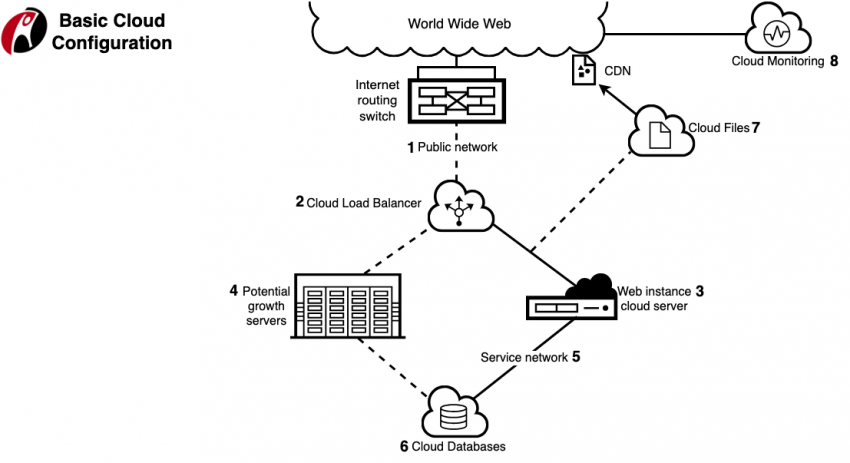
Rackspace’s USP is managed operations. For companies that want to run workloads on AWS, Azure, or GCP but lack the internal team to operate them effectively, Rackspace provides the managed layer on top of the hyperscale infrastructures. The use case is organizational: teams that need cloud infrastructure but cannot or will not staff the operational function internally.
Which GCP alternative fits your workload?
The GCP alternative that’s best for you depends on the type of your workload. Here are five common workload types and the providers that suit them best.
Streaming, Media, and Bandwidth-Heavy Platforms
Streaming platforms have a defining characteristic: data movement. A platform delivering video at scale moves enormous volumes of data continuously. Whether that is affordable depends almost entirely on how the provider prices egress and peering.
The architecture that works at scale combines bare metal or private cloud for origin infrastructure with a CDN for edge delivery. The key is choosing a network provider whose peering agreements keep egress costs low.
Advanced Hosting is the natural fit for this class. Owned backbone infrastructure with direct peering relationships means the bandwidth cost structure is fundamentally different from GCP’s egress model.
Scale heavy, regulated, or latency-sensitive workloads with optimal performance and cost.
iGaming and Regulated Infrastructure
The iGaming industry requires sub-10ms latency for player-facing services, audit logging at the infrastructure level, compliance with multiple regulatory frameworks across jurisdictions, and hardware-level security controls for payment processing adjacent systems.
A hybrid architecture works best in practice. Dedicated infrastructure handles the latency-sensitive, player-facing layer. Hyperscale cloud handles analytics and reporting, where latency is less critical. The hard constraint is compliance: regulated workloads need to sit in environments with the right certifications and audit trails, and not every provider can deliver that across all the jurisdictions where iGaming operates.
Advanced Hosting’s physical infrastructure model addresses the latency and hardware control requirements. Azure’s compliance portfolio is the broadest of the hyperscale providers for regulated industries. A combination of Advanced Hosting and Azure is a strong GCP alternative for iGaming platforms.
AI and ML Workloads
AI and ML workloads are split into two distinct problems. Training is GPU-bound and runs in batches. So, latency to end users does not matter. But GPU throughput and cost do. Inference is latency-sensitive, often needs to run close to users, and benefits from being co-located with serving infrastructure. GCP retains the clearest advantage for teams that need TPUs or deeply managed ML pipelines through Vertex AI. AWS and Azure have broader managed AI ecosystems and larger GPU fleets.
For teams that need dedicated GPU capacity without multi-tenant overhead or managed service pricing, Advanced Hosting’s bare metal GPU infrastructure is worth evaluating. Scaleway covers the same need for European teams operating under GDPR.
Kubernetes-Heavy Teams
Moving off GKE is one of the most expensive infrastructure decisions a team can make. EKS and AKS are both capable, but they are not operationally equivalent to GKE. The actual migration surface is almost always larger than it looks from the control plane alone.
If you need to migrate, move to managed Kubernetes first: EKS, AKS, OVHcloud Kubernetes, or Scaleway Kubernetes. Avoid a simultaneous migration to self-managed clusters. Advanced Hosting’s private cloud can run Kubernetes, but you take on control plane management yourself. That works for teams with the operational depth to handle it. It is the wrong move for teams that want to preserve the managed experience they have on GKE.
Startups and Small SaaS teams
For startups and small SaaS teams, operational simplicity matters more than infrastructure depth. The team is small, and operational overhead is expensive. DigitalOcean, Vultr, and Scaleway all serve this segment well. The choice between them comes down to geography, compliance needs, and whether GPU access or European data residency matters. If the team is based in Europe and cost is the top priority, Hetzner is usually the right answer.
When to stay on Google Cloud
You should stay on Google Cloud if your product is built around GCP’s proprietary managed services: BigQuery, GKE, Vertex AI, Firebase, or Pub/Sub. These are not features that transfer easily to another provider. They are architectural decisions baked into how your product works, and the cost of migrating away from them almost always exceeds the operational savings.
Stay on GCP if the services you use justify the cost, your team knows how to run the platform efficiently, and your workloads are a genuine match for what GCP is built to handle.
When to consider switching
Consider switching from GCP when you are using it mainly as a compute and storage layer, without meaningful reliance on its proprietary managed services. If you are paying for the managed service overhead but not getting value from those services, you are overpaying.
Bandwidth is the clearest trigger. If GCP egress or inter-region transfer is a meaningful line item in your infrastructure budget, and the workload generating that cost does not depend on GCP-native services, the math for moving to a provider with better bandwidth economics is almost always straightforward.
When does a hybrid architecture make more sense?
A hybrid architecture makes sense when some GCP services still provide real value, but other workloads would run better or cost less on a different provider. The strategy is not about leaving GCP. It is about using it selectively.
- Keep the workloads where GCP genuinely adds value on GCP, and
- Move the workloads where the fit is poor to providers whose infrastructure model matches the requirements.
In practice: GCP for analytics pipelines, managed Kubernetes services built on GKE, and AI/ML workloads tied to Vertex AI or TPUs. Private cloud or bare metal for bandwidth-heavy delivery infrastructure, latency-sensitive player-facing services, and stable compute workloads where hardware control and cost predictability matter more than managed convenience.
The hybrid approach also manages migration risk. Moving workloads incrementally reduces the risk of discovering late that the new environment has a gap the old one covered invisibly.
Running across GCP and a private cloud provider also reduces lock-in. It gives you more negotiating leverage with vendors and more flexibility in how you evolve your architecture over time.
Conclusion
Google Cloud is a strong platform. The data analytics tooling, the Kubernetes infrastructure, and the AI/ML ecosystem are genuine advantages that alternatives have not fully replicated. For teams whose workloads are well-matched to GCP’s design assumptions, it remains the right answer.
But GCP is not built for every workload. Bandwidth-heavy platforms, latency-sensitive services that need hardware control, regulated environments with strict data residency rules, and workloads where the managed service cost outweighs the benefit; all of these are better served elsewhere.
The framework is simple: know which GCP services your architecture actually depends on. Match your workloads to providers whose infrastructure model matches them. Account for the full cost of migration and managed service replacement, and build the hybrid strategy that keeps GCP where it adds value and moves workloads where it does not. For companies that need predictable infrastructure, private cloud, dedicated resources, and high-bandwidth or regulated workload support, Advanced Hosting is the provider worth evaluating first. The owned network, bare metal flexibility, and private cloud architecture are well-matched to the workloads that GCP handles least efficiently.
What is the main reason companies switch from Google Cloud?
The most common driver is cost visibility, particularly egress and inter-region data transfer costs, combined with growing dependence on GCP-native services that reduce architectural flexibility over time.
Is Google Cloud more expensive than AWS or Azure?
It depends on the workload. GCP’s compute pricing is competitive. The cost differences emerge in data transfer, managed service usage patterns, and support. BigQuery in particular can be expensive at scale if query patterns aren’t carefully controlled.
Can you migrate from Google Cloud without downtime?
Stateless compute workloads can typically be migrated with minimal downtime using blue-green deployment patterns. Stateful workloads — particularly managed databases, data pipelines, and services with persistent storage — require careful sequencing and usually involve a migration window.
What is the best Google Cloud alternative for European companies?
It depends on the workload. OVHcloud and Hetzner are strong for infrastructure cost and European data residency. Scaleway is worth evaluating for AI workloads and GDPR-sensitive environments. Advanced Hosting is the right choice for bandwidth-heavy or regulated workloads that need physical infrastructure in Europe.